Linux Guide Navigation List | Next: Set up your USB & Prep your PC | Back to Start
Picking a Distro
Choice paralysis is one of the biggest hurdles for prospective Linux users. Since Linux isn't one singular thing but a whole constellation of related operating systems, it's easy to get turned around and confused.
It doesn't help that a lot of Linux users treat their choice of distro like supporting a political candidate or sports team. Folks can be super tribalistic and defensive of their own choices, and shout down those who think otherwise. This can result in asking for advice and getting flooded with snarky, sarcastic replies and contradictory information that makes it even harder to pick one. That group is a vocal minority though. Don't let that get you down.
I do not recommend looking for anything weird and obscure. Until you have the knowledge and experience to handle it, small and niche projects will be rough. For instance, PikaOS is a smaller gaming OS. It's lovely! It even has a cute cockatiel mascot! But it's also a bit wonky and non-standard, and the only place you can really get meaningful support is through their Discord channel. For a new user, that's not great.

For general-purpose computing (web browsing, writing, watching videos, and other light tasks,) Linux Mint is, far and away, the easiest to start on. The Mint team has spent over a decade building their OS to be approachable and easy to use. Virtually everything can be done through a graphical menu, so you are less likely to need to dive into a the terminal. It also features a driver manager, which makes it far easier to get Nvidia graphics cards working well. Mint's user community is also welcoming to new users and more willing to help new users who don't know what they don't know yet.
For gamers, Nobara and Bazzite are both good options. The former is developed by a team who develops a lot of utilities that make gaming on Linux easier, while the latter is purpose-built to make gaming as straight-forward as possible, without requiring users to mess with any system files. Both are based on Fedora, and have a lot of community support. For more information on gaming, click here.
Other mainstream distributions like Debian, Ubuntu, and Fedora are good options too. They support a wide range of desktop environments and can cater to both the most powerful gaming rigs and the most anemic little netbooks. They also have large developer and user communities. If you run into some unusual issues, you are likely to find guidance online. Someone else has probably already ran into your issue, or will be interested in trying to solve yours if it's truly unique.
Desktop Environments?
Okay, hold on, what's a desktop environment?
One unique thing about Linux is its modularity, meaning that it's built out of a bunch of parts that interlock together. Don't like one way of doing things? You can probably find more than one replacement that you'll like better.
This includes the whole desktop setup! A desktop environment is a bundle of software odds and ends that make up the taskbars, windows, menus, and other elements that comprise your computer's look and feel.
On Windows and Mac, you just get the desktop setup that you get. On Linux, you get a say in the matter.
There are two mainstream ones called KDE Plasma and GNOME. KDE is a more traditional desktop, with a taskbar at the bottom, time and system tray on the right side, and a Start menu and pinned programs to the left. Windows has been set up the same way since, like, 1995. This will feel comfortable and familiar for anyone used to Windows 10. KDE also comes standard with a wide range of customization options that allow you to tweak your system to look exactly how you want.
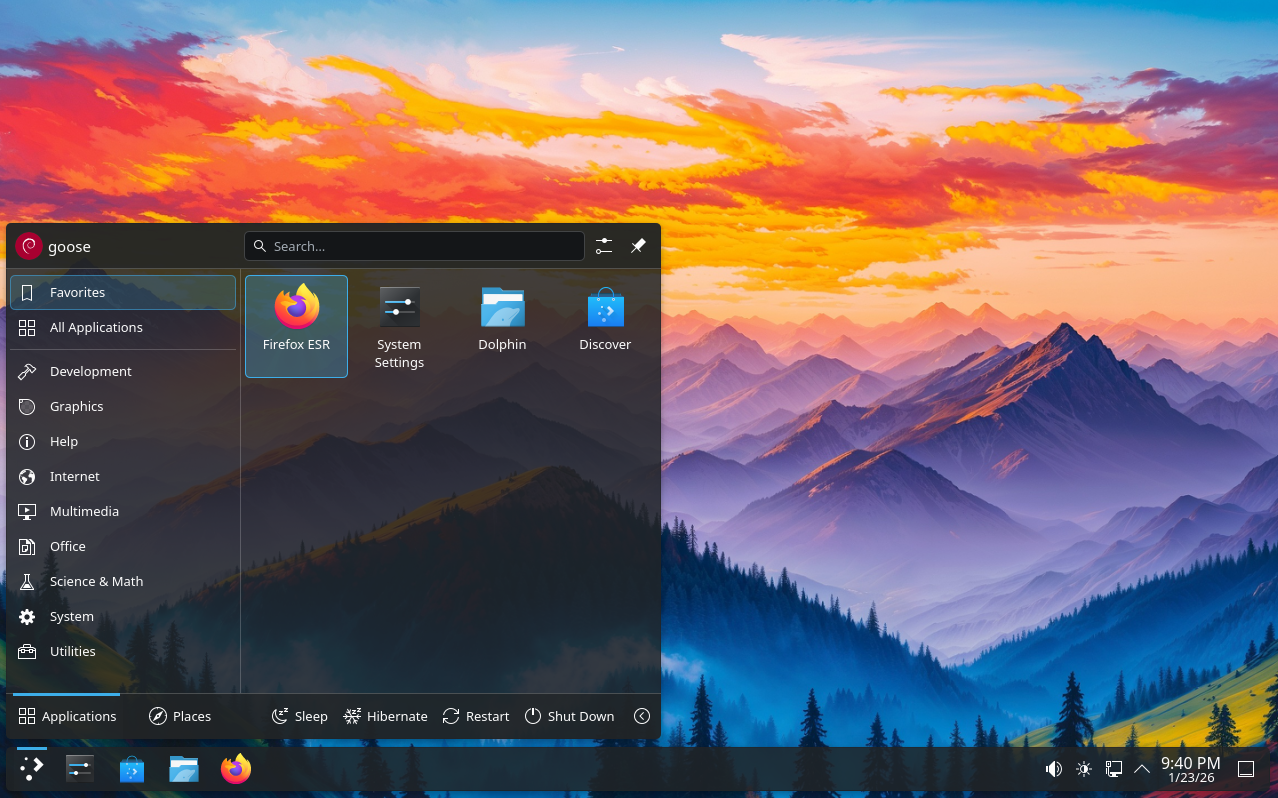
KDE Plasma
GNOME, meanwhile, is a whole different animal. It emulates the clean desktop space and top panel typical of Mac computers, with the goal of being sleek and visually appealing. Its defaults feel very strange for newcomers though, and a lot of basic features are stripped away. Things like font choices, an app menu button, a dock for showing pinned and active programs, and even a minimize and maximize button, are not available by default, and you have to go out of your way to add or change them. I don't recommend this for new Linux users, though I appreciate its look and feel when it's set up to my liking.
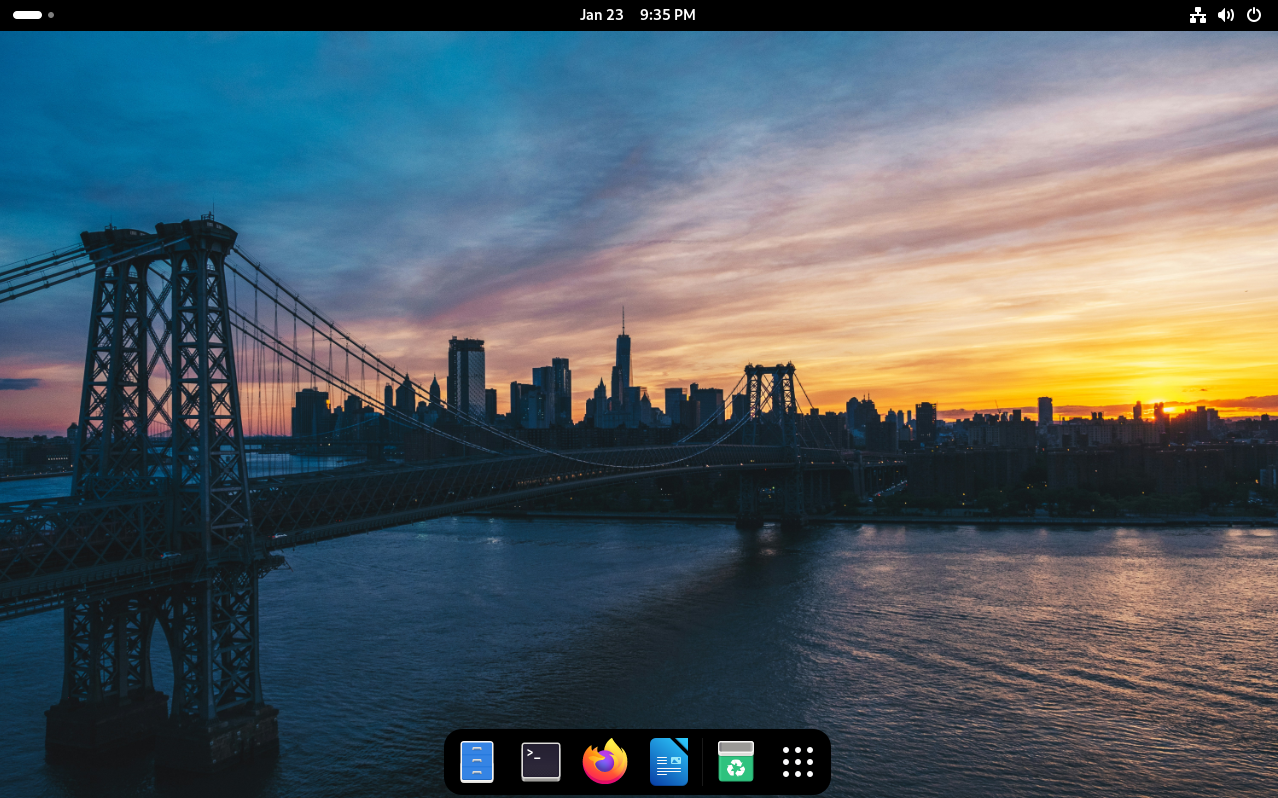
GNOME
Linux Mint uses its own desktop, called Cinnamon. It was created shortly after GNOME turned into its current form over a decade ago, and the Mint team sought to undo the changes they didn't like. Now, it's become its own thing and is really nicely implemented! As a comparatively small project with fewer developers and more conservative goals, it can be a little old-fashioned. But it's simple, easy to use, and gets out of your way! If you feel like computers peaked with Windows 7, Cinnamon will feel like home.
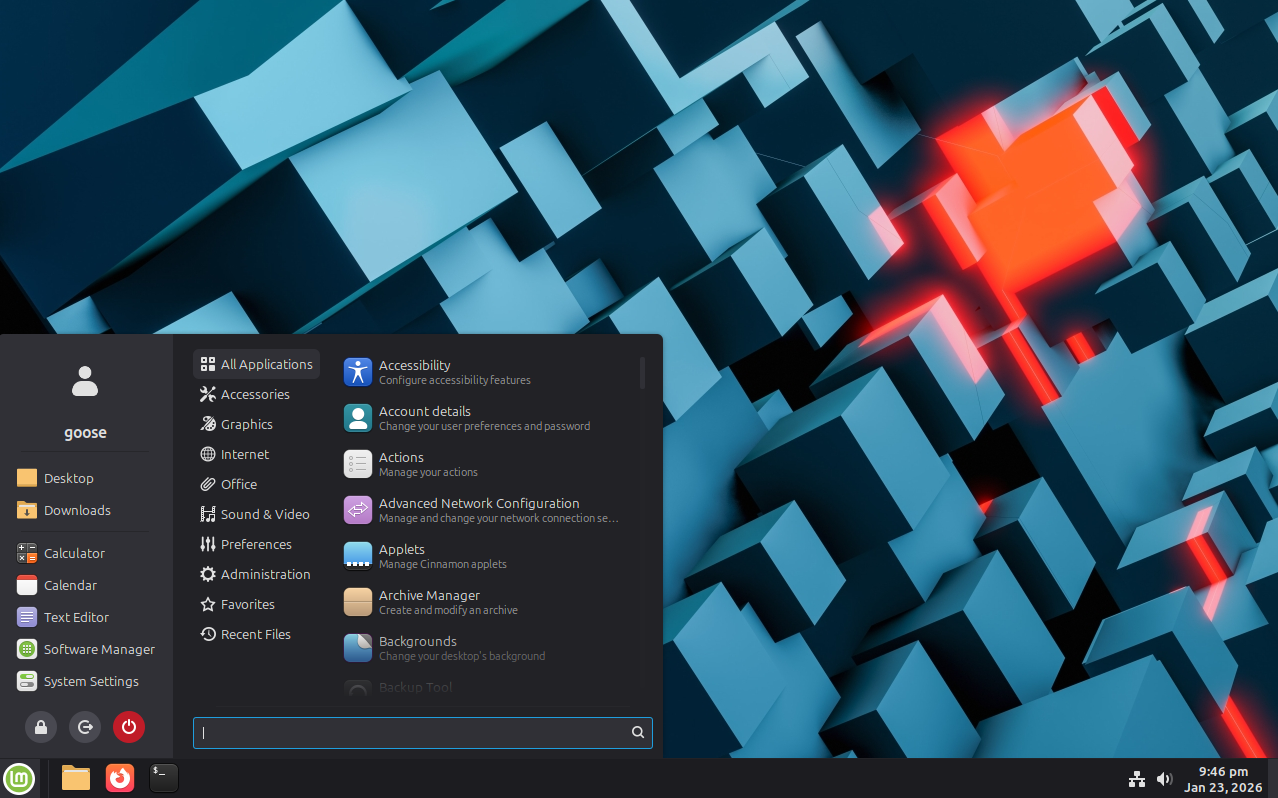
Linux Mint with Cinnamon Desktop
One up-and-coming desktop is COSMIC, which is basically the other side of the coin from Cinnamon. It's very forward-facing and modern. It combines the sleek look and feel of GNOME with the customization features of KDE, but does it its own way. It also has a really convenient tiling window feature, where your screen real estate gets automatically split into sections as you open new windows. It's on its very first version right now and rough around the edges, but it's promising!
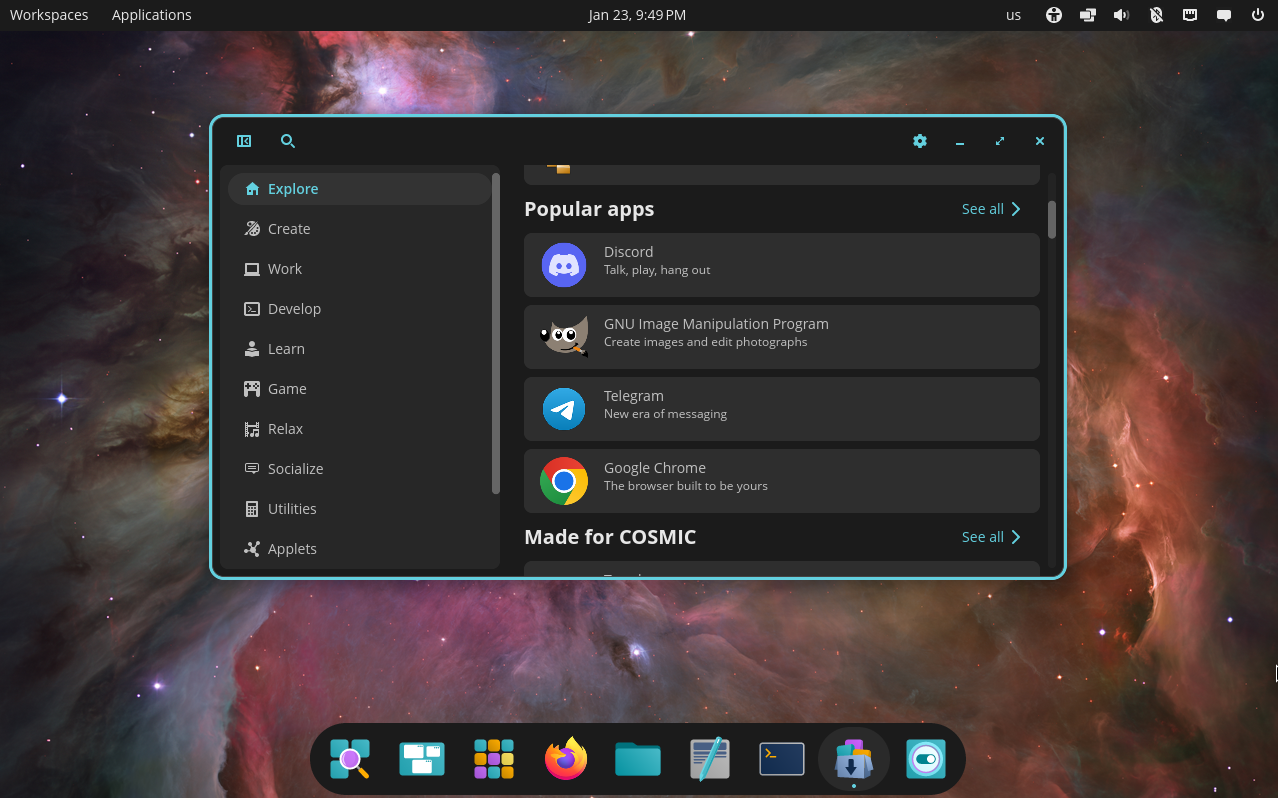
Pop!_OS with COSMIC
For folks with limited computer hardware, there are some lightweight desktops. Xfce is the most popular. It's highly customizable and works well, and is built on similar fondations to GNOME. LXQT, likewise, is like a lightweight version of KDE. One other is MATE, which is basically locked in 2011, where it split off from GNOME. There are a few other options, but they are relatively niche and I'll leave them be.
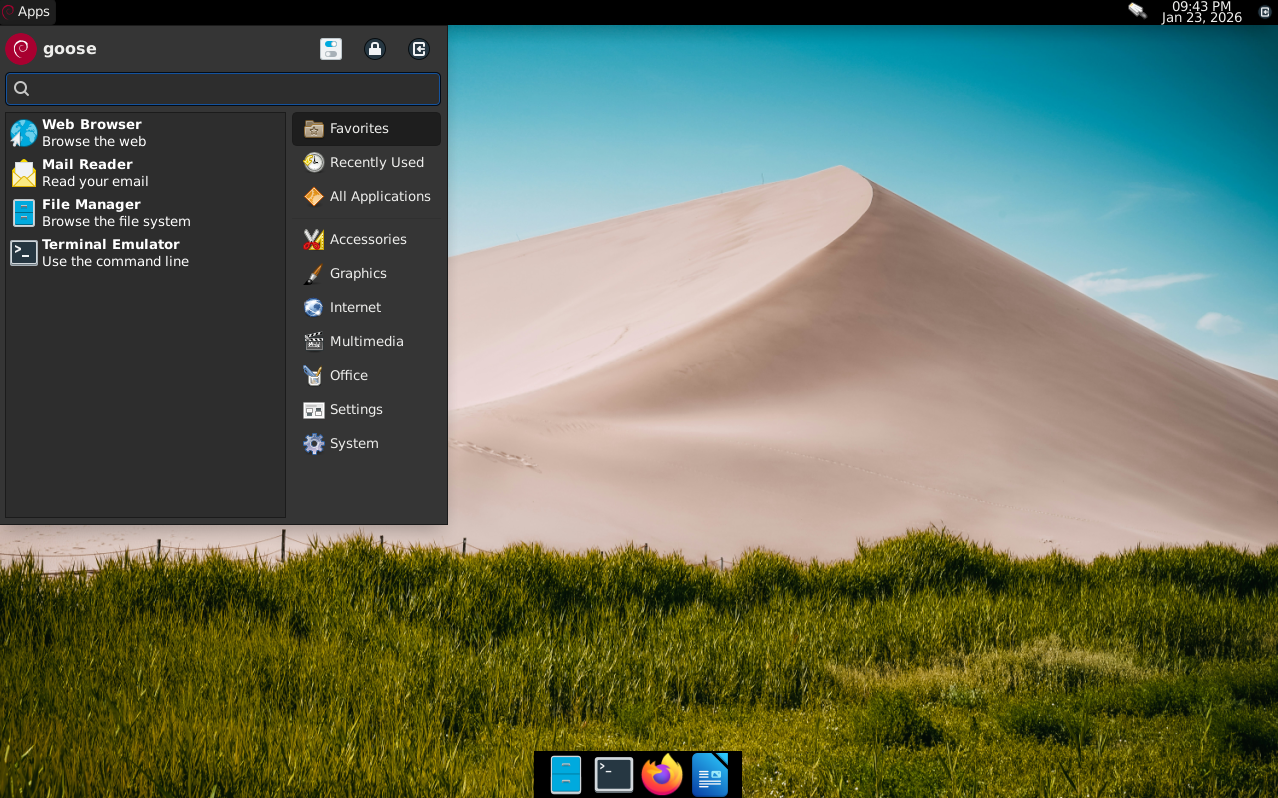
Xfce desktop
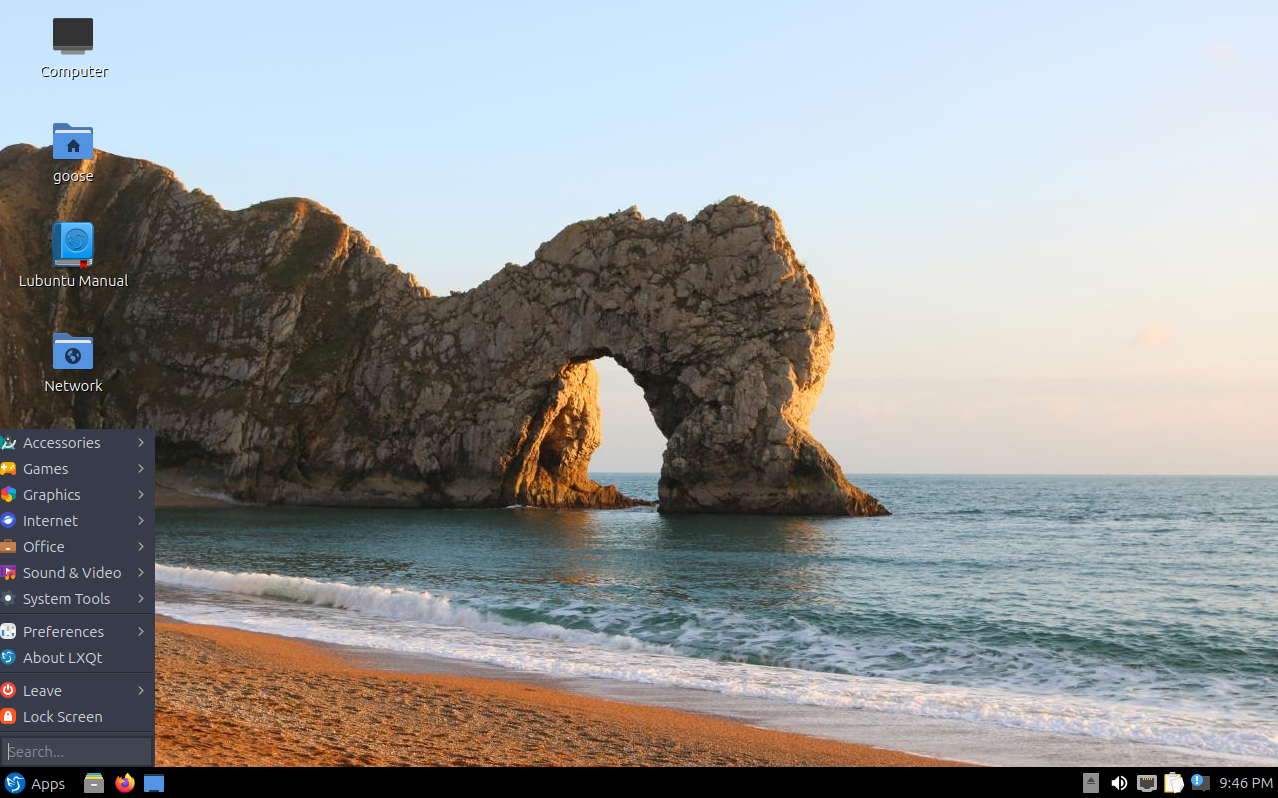
LXQT desktop on Kubuntu
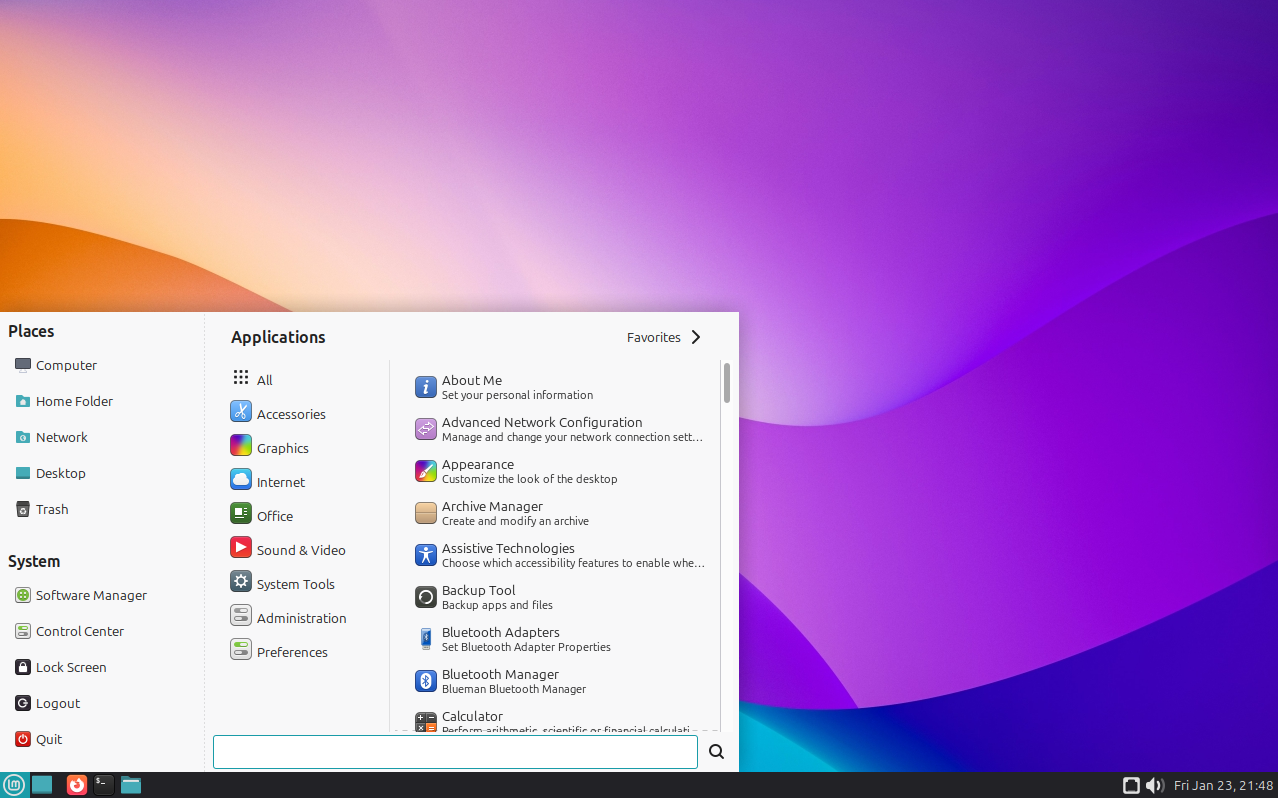
MATE desktop on Linux Mint
All that to say, you've got options! For Mint, I recommend using their flagship Cinnamon desktop as you learn Linux. For folks using other distros, I recommend KDE as the most flexible, fully featured desktop with tons of customization options and sane defaults. Once you have a handle on Linux, test other distros and desktops out! You're bound to find something you really like.
I personally really like GNOME, and it's what I am using as I write this. It's aesthetically very clean and nice, but there's a "GNOME way of doing things" that has a weird learning curve. It also doesn't come with normal customization settings out of the box, and its defaults are atypical. For instance, you need to go out of your way to install the GNOME Tweaks app, separate from your normal settings, to change your font, icons, cursor, or even add a minimize and maximize button to your top bar. You also have to go out of your way to add extensions to your system to add things like app docks, top bar customization, and system tray indicators for some programs. It's a real headache, and one I repeatedly jumped off of after hitting road blocks. Don't start on GNOME, don't do that to yourself. A lot of changes require a great deal of tinkering and isn't for the faint of heart.
It's not the best. It's not the most user-friendly. Occassionally the GNOME Foundation's idea of how people use their computers can be a little alien, but I think it's really pretty.
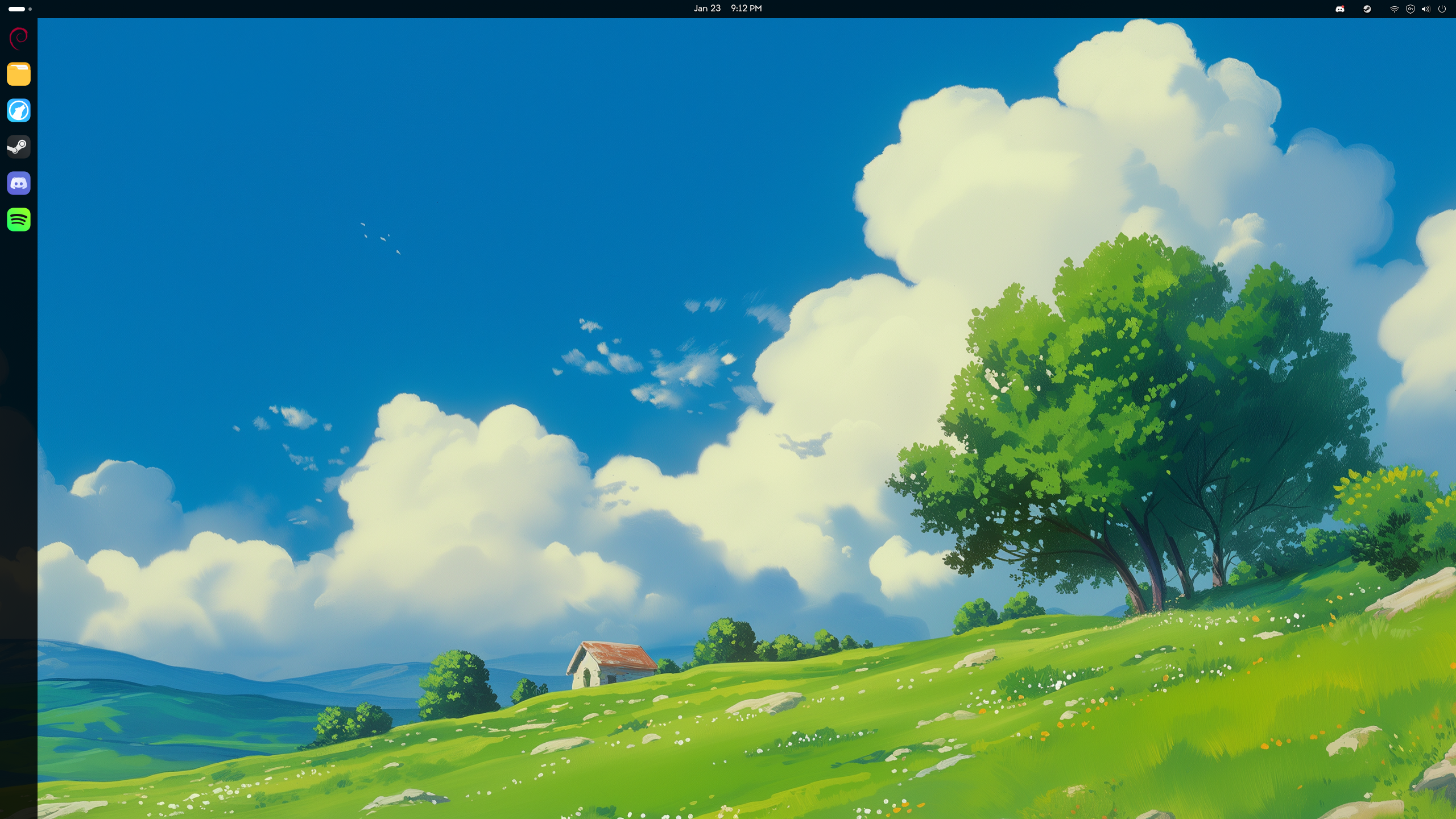
Here's my setup, in case you were wondering :p